Proceeds from the tip jar go to Pan's programmers.)
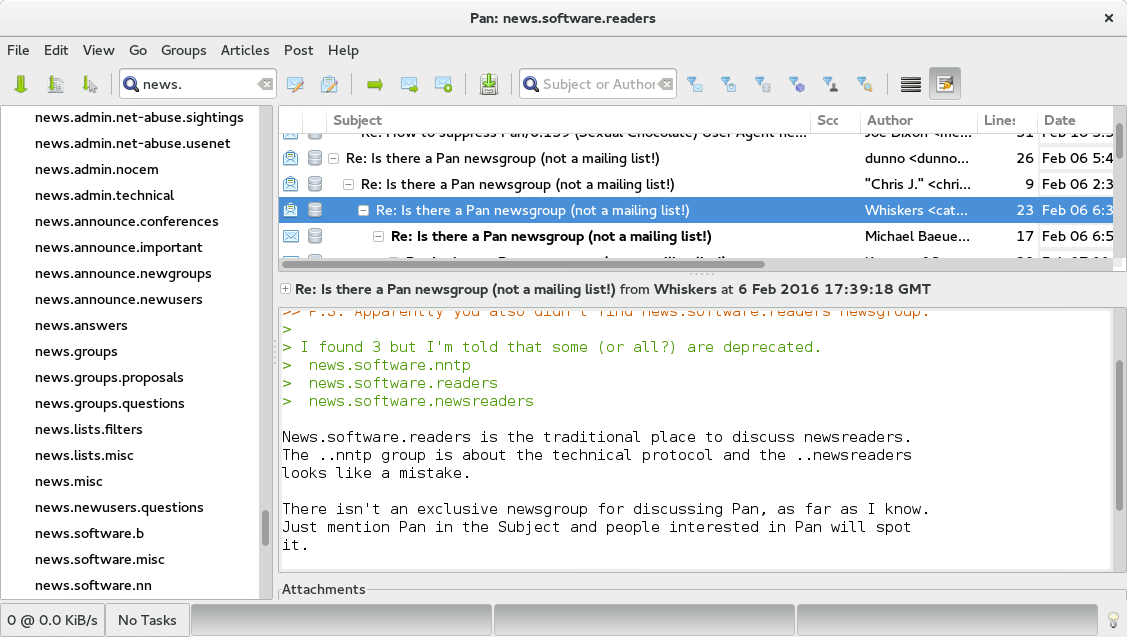
Screenshot of Pan 0.140
Click on a thumbnail to see the full-sized image.
This shows the groups pane on the left, the header pane in the top right, and the message body in the bottom right.
Screenshots of Pan 0.13.1
Main Window | Leeching! | Reading | Internationalization | Navigation | Article Filters | Task Manager | News Servers | Preferences | Profiles | Posting | Pan on Mac OS X|
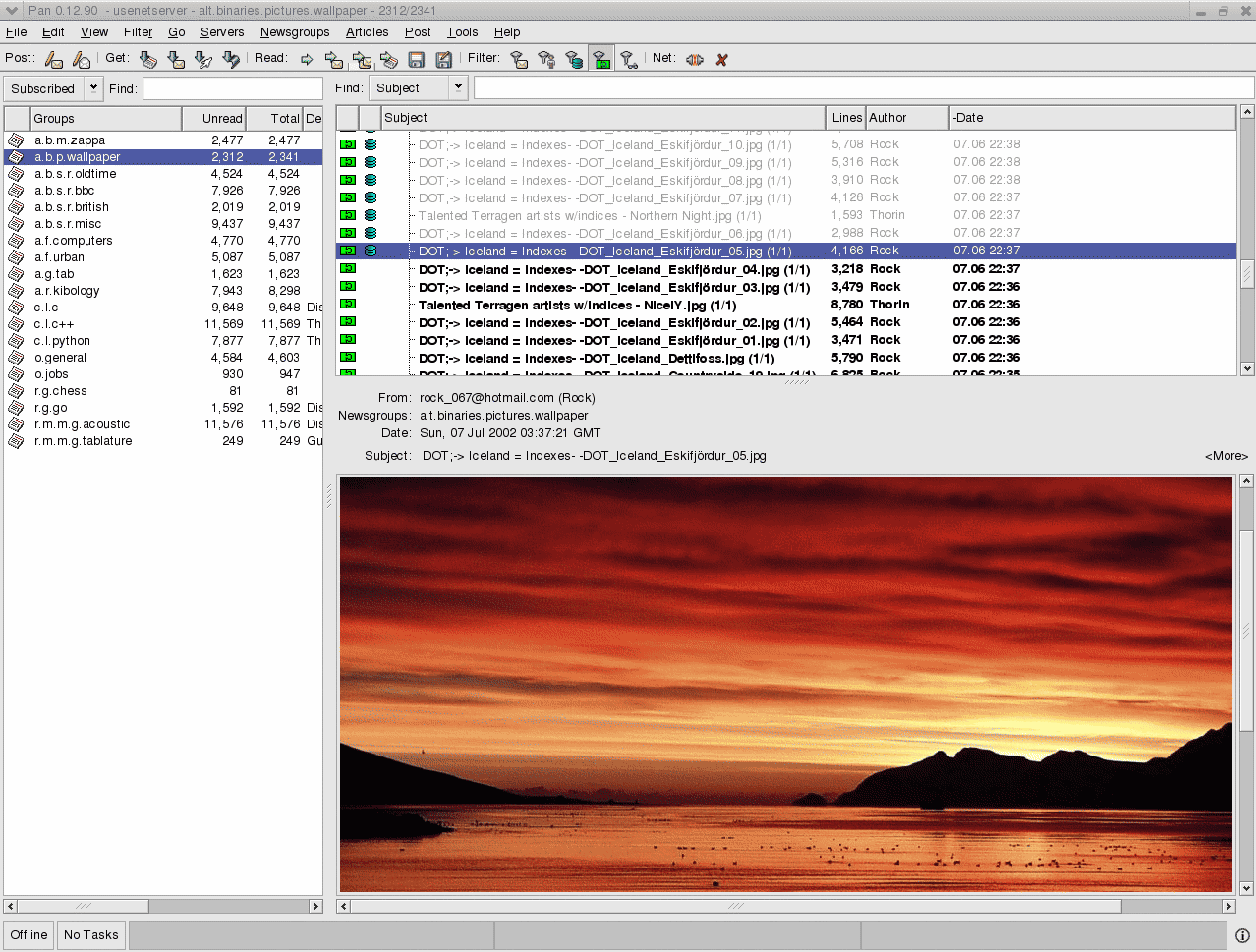
Main Window This shows the groups pane on the left, the header pane in the above right, and -- since this is, after all, the screenshots page -- the article body pane is looking at a pretty picture posted to a newsgroup. Also note the green icon of two joined puzzle pieces in the thread pane: it denotes articles with complete binary attachments. (Incomplete multiparts get a single red puzzle piece). This way you don't have to count all the posts in a multipart binary for completeness and you can also filter out incomplete and no-attachment articles. |
|
|
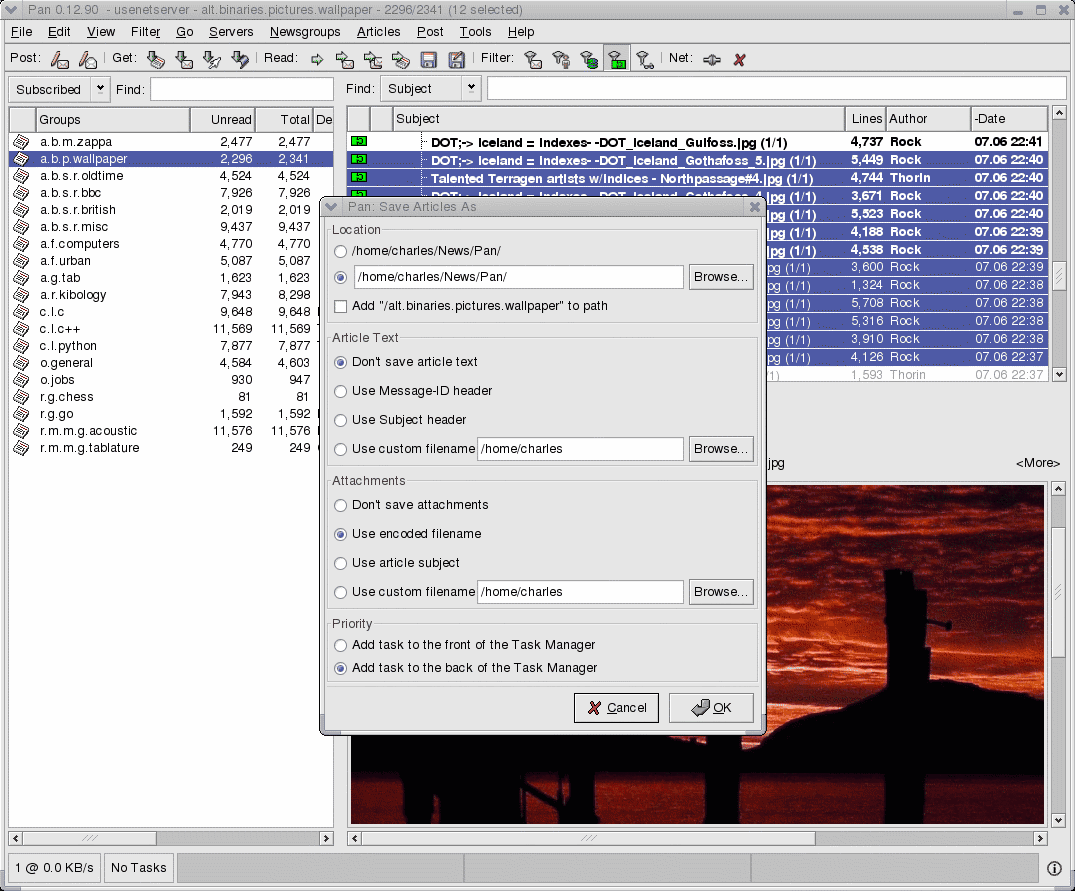
Leeching! Pan's original claim to fame was frenzied, thousand-post leeching. In this screenshot, a user is queueing a modest number of images from a newsgroup to download into a directory of his choosing. Typing Shift-S will skip the dialog altogether. |
|
|
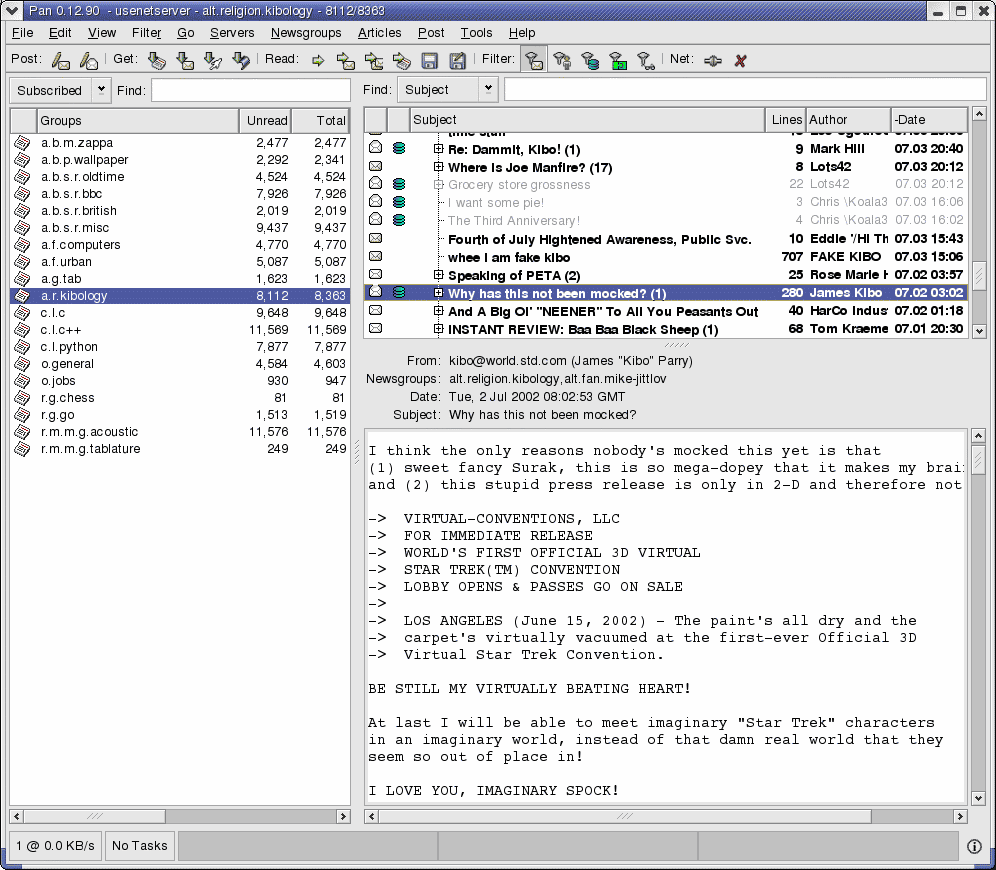
Reading Articles Closed envelopes are unread articles, while opened ones are read. Articles with gold envelopes are new, grey ones are old, and those in boldface have new replies. When all the articles are read in a subthread, the subthread is greyed out. And if the thread is closed, then at the end the subject is a number in parenthesis showing the number of new replies. So in this screenshot, "Speaking of PETA" is an old thread with two new replies and "Where is Joe Manfire?" is a new thread with 17 articles. The green disk icon in the second column denotes articles that have already been downloaded and are cached locally. This comes in handy for offline reading. |
|
|
Internationalization As of version 0.12.0, Pan can now post and read messages in arbitrary charsets and fonts. There are also per-newsgroup default charsets to use for articles whose charsets aren't set properly. This screenshot shows a thread in japan.chat. |

|
|
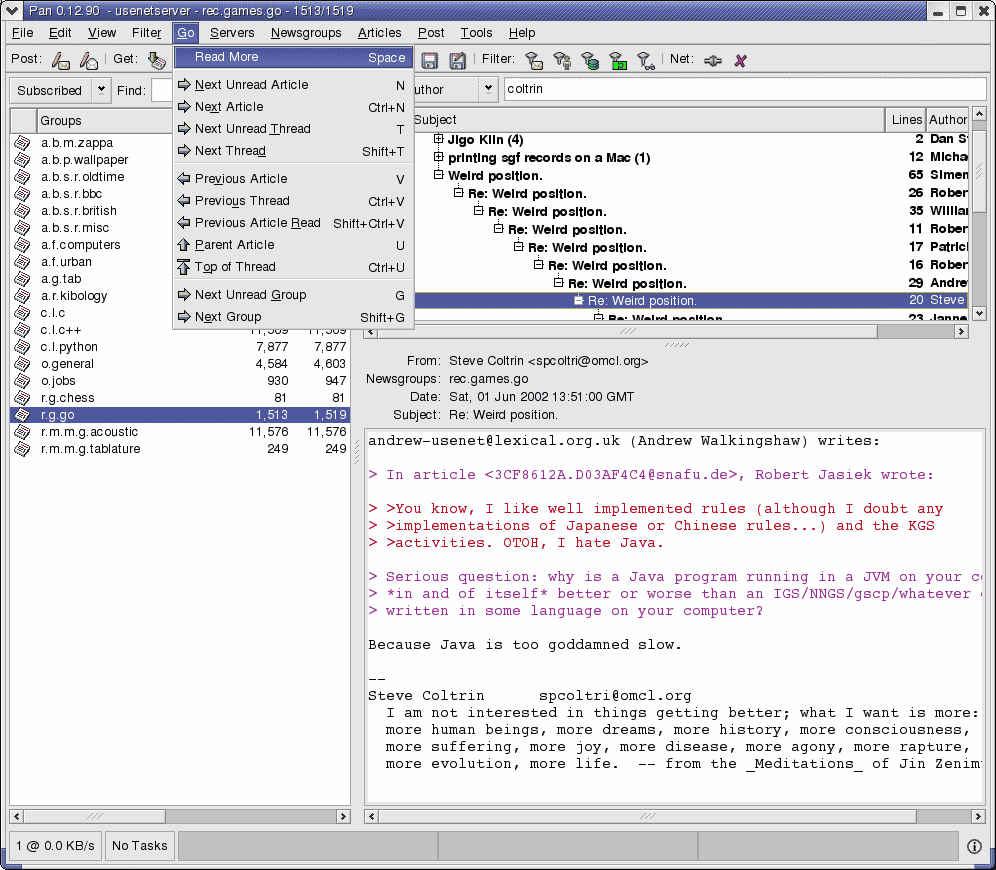
Navigating Articles This screenshot just shows what options and shortcuts are available for navigating through articles, threads, and groups. |
|
|
Article Filters This shows the different article states that you can filter, and how to show the results that match. The Filter menu has all kinds of settings, and the most popular are repeated in the toolbar. In this screenshot, everything is turned on except for articles with complete attachments. Clicking on the "Show Just New Articles" button in the toolbar would change the filter so that only new, complete attachments were shown. |

|
|
Custom Filters In addition to the article filters mentioned above, you can also create and save "Custom filters" to look for just about any combination of article states (such as flagging bozos, spam, or favorite posters/keywords/musical groups). Custom filters can be used in the rules tool (delete spam, automatically download bodies by favorite articles, download & decode binaries matching subject) and also in the thread pane for displaying articles. |

|
|
Task Manager Pan lets you queue downloads and run multiple downloads at once, such as interactively reading group A while downloading headers in group B and leeching binaries. The Task Manager allows you to see which tasks are running, re-order them, cancel them, or to pause all tasks to go offline temporarily. In this screenshot I'm fetching all the headers for a handful of groups. Since Pan is offline, the tasks are sitting, waiting for Pan to go online. If I exit Pan and restart, a dialog will appear asking if I want to restore these tasks. |

|
|
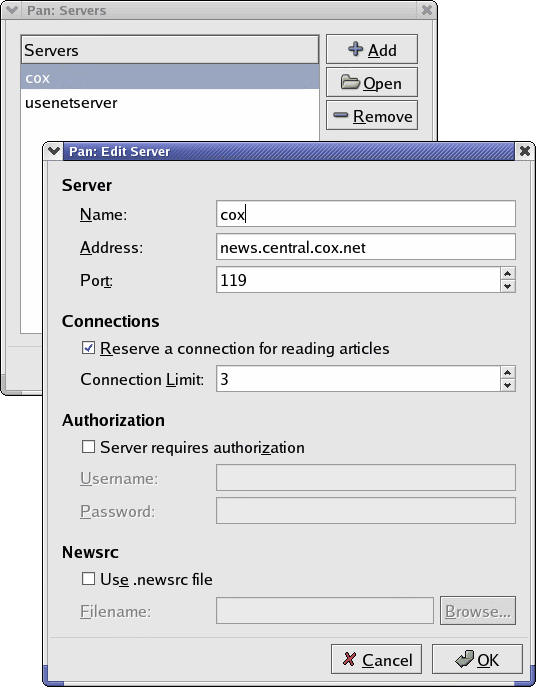
News Servers Pan allows you to connect to more than one news server at once, and to maintain a different .newsrc file for each server. This shot shows how news servers are added and edited. |
|
|
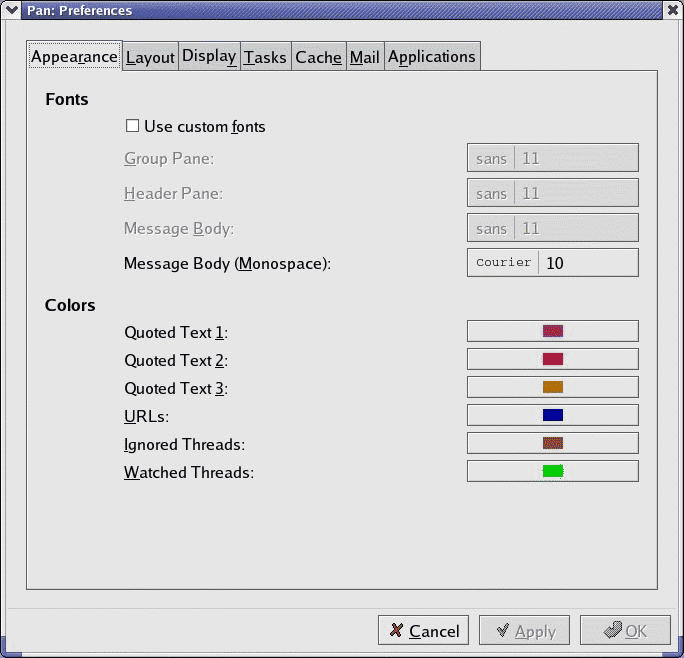
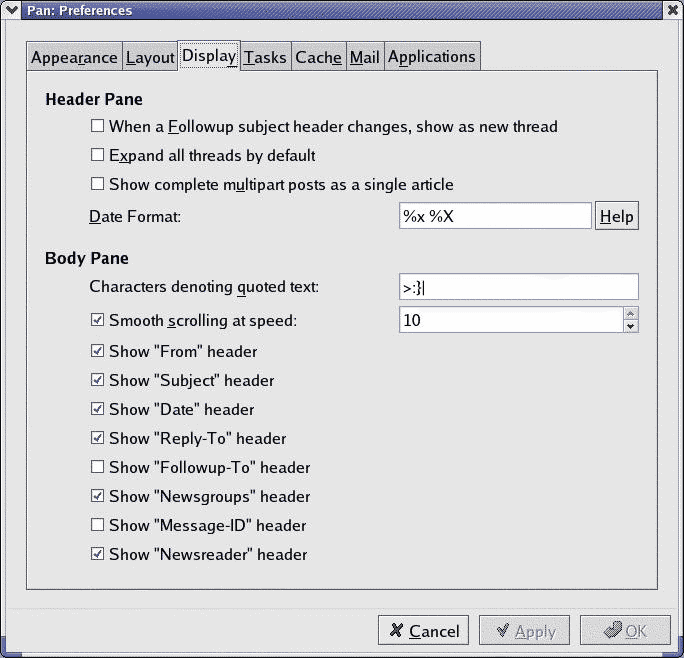
Preferences From the preferences dialog you can change Pan's appearance and layout. |
|
|
|
Profiles You can define different names to post under, each with its own set of headers, signature file, email address, and so on. This way you could, for example, post to talk.* groups with a mail drop account, but to work-related groups with a different mail address. |

|
|
Posting Here's the dialog used to post new articles in Pan. The "Send Later" button can be useful if you want to compose messages offline and then post them later in a batch. |
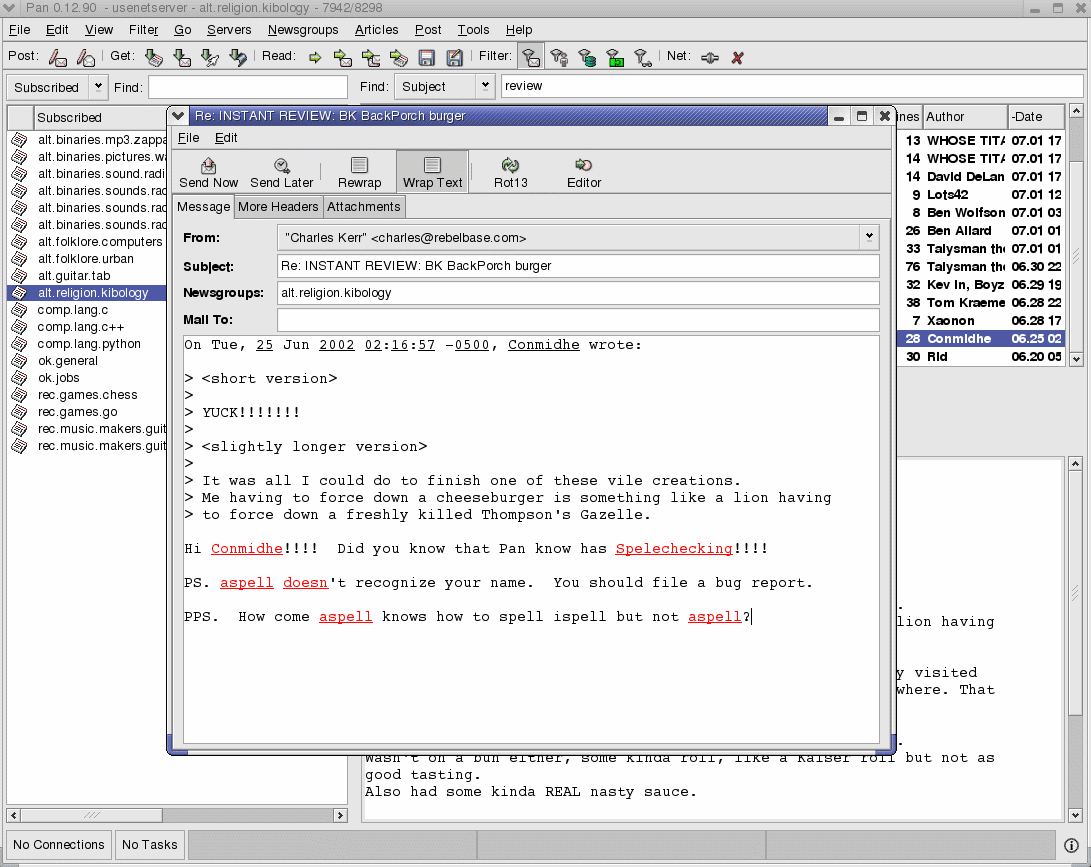
|
|
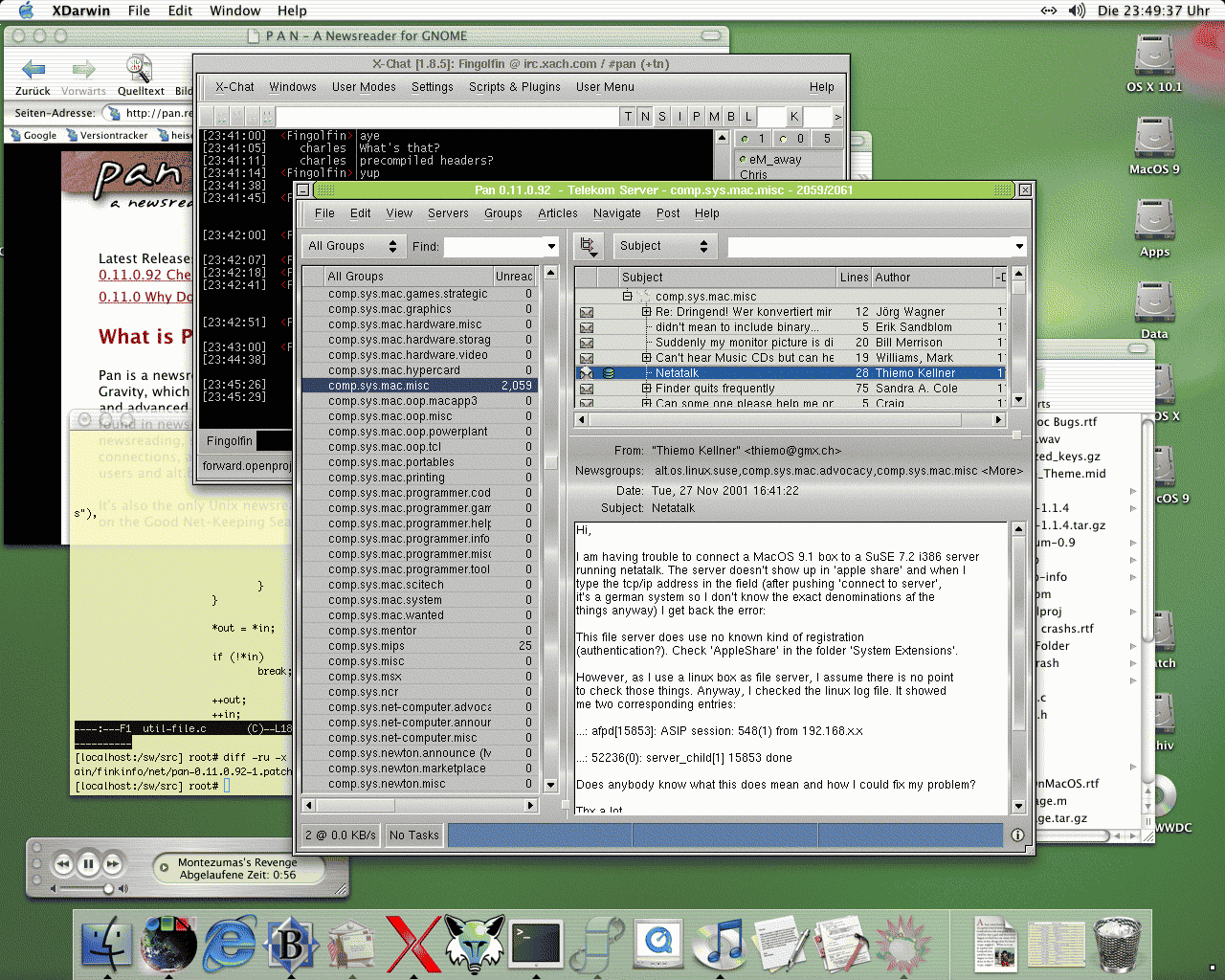
Pan on Mac OS X The nice people at Fink have fed back patches into Pan to get it building on Mac OS X. Here is the eye-candy proof: |
|